Magic Flip Card
JoyDotCard
4.45.00 Reviews
- Version
- 1.0.0
- Installs
- 10.00K
- Age Rating
- Everyone
Screenshots

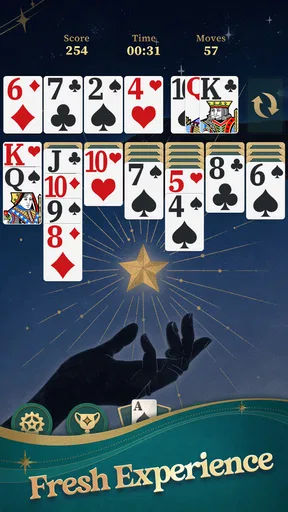
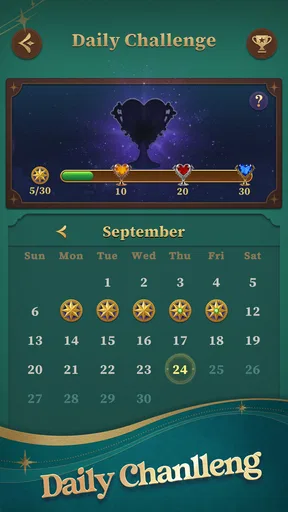

Our Review of Magic Flip Card
 Analysis by Appyee
I approached Magic Flip Card expecting a small card game with a mystical visual identity, and that is the right way to frame it. It is a free puzzle game from JoyDot, built around flipping cards and a tarot-inspired atmosphere rather than the broad feature set of a large strategy title. After spending time with it, I found the appeal comes from its simple premise: it is easy to open, easy to understand, and suitable for short sessions when I want something quieter than a competitive card game.
The game currently has a 4.4 average from around 35 ratings, with over 10 thousand installs. Those figures suggest a modest but interested audience rather than a huge established community. It is rated for Everyone, which fits the gentle puzzle format, and it runs on Android 7.0 or later. JoyDot lists version 1.0.0, so I would treat it as an early, straightforward release rather than a mature card platform with years of accumulated content.
Getting past the first points of friction
The first thing I would tell a new player is not to expect a traditional tarot application. The tarot theme supplies the mood and visual direction, while the actual activity is a flip-card puzzle. That distinction matters because someone looking for card readings, a collectible card battle, or a deep deck-building system may install it with the wrong expectations.
My initial setup advice is simple: install it on a device running Android 7.0 or newer, leave enough free space for a normal game installation, and start it when the phone is not already struggling with many open apps. These are basic checks, but they remove several avoidable problems before blaming the game. If the installation pauses, the first suspects should be the device's connection, available storage, or the app store session rather than the puzzle itself.
Once the game opens, give the first screen a moment instead of tapping repeatedly. On an older phone, rapid tapping during startup can make it feel unresponsive even when the application is still loading. I also recommend closing and reopening it once after installation if the first launch looks incomplete. That is a practical reset, not a special feature, and it often gives a cleaner starting point than continuing to interact with a partially loaded screen.
The most useful setup habit is to separate installation trouble from gameplay trouble. If the app cannot open at all, changing how you flip cards will not help. If it opens normally but a particular puzzle interaction feels confusing, then the issue is more likely related to learning the game’s visual cues and timing. Keeping those two situations separate saves a lot of needless troubleshooting.
What to check before a first session
I would begin with a short, low-pressure session rather than trying to judge the entire game immediately. Look at how cards respond to a normal tap, notice whether the board changes after each move, and pay attention to any indication that a pair or sequence has been recognized. The point is to learn the interaction rhythm before focusing on speed or solving efficiency.
Because the theme is built around mystic tarot imagery, some symbols may be more decorative than functional. I found it helpful to focus first on the actual matching or puzzle relationship between cards instead of trying to interpret every illustration. Players who read too much meaning into the artwork can make a simple board feel more complicated than it is.
If touch input seems unreliable, try removing a thick screen protector from the list of possible causes, clean the display, and test deliberate taps near the center of a card. A rushed swipe or a tap close to the edge can be mistaken for a broken control. I would also rotate the phone only if the game itself supports the orientation naturally; repeatedly changing orientation during a session can create more confusion than it solves.
Another useful check is sound and visual comfort. If the atmosphere feels distracting, reduce the device volume or play without sound rather than abandoning the game immediately. A tarot-styled presentation is part of the experience, but it should support the puzzle, not make a short break feel busy. This is especially relevant when playing in a waiting room, on public transport, or beside someone who does not want game audio.
Recovering when a puzzle session goes wrong
When I made an unhelpful move, the best recovery was to pause mentally and inspect the remaining cards instead of tapping faster. Flip-card puzzles reward recognition more than frantic input. Before making the next move, I compare the visible symbols, remember the location of anything already revealed, and choose a move that gives me useful information even if it does not immediately complete a pair.
This creates a practical two-step workflow. First, use early moves to map the board. Second, use that memory to reduce unnecessary flips. The tarot presentation can make the cards feel different from one another, but the solving habit remains consistent: remember locations, avoid repeating guesses, and treat an unsuccessful attempt as information rather than wasted time.
If the screen stops responding during a session, I would wait briefly, avoid pressing the same card repeatedly, and then leave and reopen the game if it remains frozen. On Android, closing the app from the recent-apps screen is a reasonable next step. If the problem continues, restarting the device is more useful than repeatedly reinstalling immediately, because a temporary system slowdown can affect more than one application.
Reinstallation should be a later measure, not the first response. Removing an app can also remove local progress or settings, depending on how that particular release handles saved information. For that reason, I would only reinstall after trying a normal restart and after deciding that losing the current local session is acceptable. This is one of the main trade-offs of treating a small game as a casual pastime: convenience is high, but I would not assume that every piece of progress is safely transferable.
A helpful recovery habit is to stop after a frustrating board rather than immediately starting another one. Short puzzle games can encourage repeated attempts, but fatigue makes memory-based play worse. Taking a few minutes away often improves performance more than changing the tapping technique. I found the game works best when I use it as a calm break, not as a test of endurance.
When the game may not be the real problem
Not every failed launch or delayed response points to JoyDot’s code. A phone with very little free storage may behave poorly across several apps. An unstable connection can interrupt installation or an initial loading step. Battery-saving restrictions can also make background activity more aggressive, particularly on older Android devices. These are ordinary device conditions worth checking before deciding that Magic Flip Card is unusable.
The same applies to touch behavior. If other games and menus also miss taps, the display or screen protector deserves attention. If only this game feels difficult, then the issue may be the size of the cards, the pace of the interaction, or simply a mismatch between the game’s input style and your preference. I would test another touch-based app briefly to distinguish a device-wide problem from a game-specific one.
Performance expectations should also be realistic. This is a compact card puzzle, not a demanding action game, so I would not choose it for advanced graphics or competitive online play. Its strength is the focused board and mystical mood. If you want animated battles, real-time opponents, deck construction, or a large progression system, a conventional digital card game will probably suit you better.
On the other hand, people who want a quick, low-stakes activity may appreciate the narrower design. I can imagine using it during a short coffee break, while waiting for an appointment, or before going to sleep when I do not want a complicated strategy game. The Everyone rating also makes it easier to recommend as a family-friendly puzzle, although younger players may still need help understanding the objective if they are unfamiliar with memory card games.
How it compares with familiar card-game alternatives
Compared with solitaire, Magic Flip Card feels less like arranging a known sequence and more like testing visual memory. Solitaire gives me a clearer sense of long-term planning through suits and ranks, while this game’s appeal is the reveal-and-remember loop. I would pick solitaire when I want a familiar ruleset and a longer strategic flow; I would pick JoyDot’s game when I want something more visual and immediately approachable.
It also differs from collectible card games. Those titles usually ask me to build a deck, manage resources, learn card interactions, and sometimes compete against other players. This game is much lighter. That makes it easier to start, but it also means players who enjoy collecting, customization, or a strong sense of progression may find it limited.
Against generic memory-match games, the tarot theme is the main point of distinction. The artwork gives the familiar flip-and-match idea a more atmospheric identity. That will matter to players who enjoy mystical imagery, but it will not automatically improve the puzzle for someone who prefers clean, abstract symbols. In my view, the theme is a welcome layer rather than a substitute for deeper mechanics.
The free price lowers the risk of trying it, especially for someone who wants a small casual game rather than a major commitment. Still, free does not mean it will satisfy every type of player. I would skip it if my priority were online competition, detailed tutorials, extensive accessibility controls, or a long campaign. I would also avoid choosing it as my main card game if I need a large community or a constantly changing meta.
Who will get the most from it
The best audience is someone who likes memory puzzles, card imagery, and short sessions. It suits players who prefer learning through a few taps rather than reading a long rulebook. It is also a reasonable choice for a shared family device because the age rating is Everyone and the basic concept is easy to explain without introducing gambling or competitive pressure.
I think it works particularly well for people who enjoy atmosphere but do not want a story-heavy game. The tarot influence gives the board a distinctive tone, while the puzzle remains the focus. That balance makes it more interesting than a completely plain matching game without turning it into a role-playing experience.
Players who need constant novelty should be more cautious. A simple flip-card structure can become familiar quickly if the player expects new systems in every session. Likewise, anyone who dislikes remembering card positions may experience the central mechanic as repetitive rather than relaxing. The game is not failing in that case; it is simply asking for a type of attention that may not be enjoyable for everyone.
My practical verdict after using it
Magic Flip Card is a modest, approachable puzzle game with a clear tarot-inspired personality. I like that it can occupy a few spare minutes without demanding the preparation associated with a larger card title. The free entry point, Everyone rating, and compatibility with Android 7.0 or later make it easy to consider on a wide range of devices, while the 4.4 average indicates that early players have generally responded positively.
My recommendation comes with a clear condition: install it for the flip-card puzzle and its mystical presentation, not for tarot readings, deck battles, or a deep competitive system. Keep the first session slow, check the device basics if installation or touch input behaves strangely, and use memory rather than speed when a board becomes difficult. Those small habits make the experience smoother and also reveal whether the core loop is right for you.
For me, its strongest use is as a quiet, casual break. It is not the right replacement for solitaire when I want structured card planning, and it cannot compete with a full collectible card game for depth. But as a focused memory puzzle from JoyDot, it offers a pleasant alternative with enough visual character to stand apart. If you want a simple card game with a mystical look and low commitment, this is worth trying; if you want extensive systems or long-term competition, choose a different category of game.
Verdict
Strengths of Magic Flip Card
- Simple card-flipping gameplay is easy to learn and play casually.
- Short rounds make it suitable for quick breaks or brief gaming sessions.
- Memory challenges can help keep players mentally engaged.
- Clean card-focused design keeps attention on the gameplay.
- Progressive difficulty may provide a satisfying challenge for regular players.
Limitations of Magic Flip Card
- Gameplay can become repetitive after extended sessions.
- Some levels may feel too easy for experienced puzzle players.
- Mistakes can be frustrating when several cards look alike.
- Limited variety may reduce long-term replay value.
- Performance may vary on older phones or devices with limited memory.
Similar Picks in This Category
View All
Solitaire - Classic Card Games
MobilityWare4.6

UNO!™
Mattel163 Limited4.3

Spider Solitaire: Card Games
MobilityWare4.6

Solitaire.com - Classic Cards
Tripledot Studios Limited4.7

Plants vs. Zombies™ Heroes
ELECTRONIC ARTS4.1

Hearthstone
Blizzard Entertainment, Inc.4.1
Frequently Asked Questions
What is Magic Flip Card and how is it played?
Magic Flip Card is a casual memory-style card game in which you flip cards to find matching pairs. The main challenge is remembering the position of previously revealed cards while completing each board with as few moves as possible. Its simple rules make it easy for beginners, while larger layouts and faster play can provide a more demanding experience for returning players.
Is Magic Flip Card suitable for children and beginners?
Yes, Magic Flip Card is generally easy to understand because it relies on a familiar matching-pairs mechanic rather than complicated controls or advanced instructions. It can be suitable for children, families, and casual players, although parents should still check the app’s age rating and advertising settings before installation. The visual style, difficulty, and available content may vary depending on the version downloaded.
Can Magic Flip Card be played offline?
Many card-matching games can be played without a constant internet connection, which is useful when traveling or when mobile data is limited. However, some features—such as advertisements, online rankings, cloud saves, updates, or optional rewards—may require internet access. Before relying on offline play, it is worth opening the game once while connected and checking which modes remain available without a network.
Does Magic Flip Card contain advertisements or in-app purchases?
The availability of advertisements and purchases depends on the specific Magic Flip Card release and the platform version. Free games commonly display ads between rounds or offer optional purchases to remove advertising, unlock content, or provide additional benefits. Review the store listing carefully before downloading, and check the payment settings on the device if children will be playing.
What permissions and device requirements does Magic Flip Card need?
Magic Flip Card should normally require only the permissions needed to run the game and support services such as advertising or analytics. The exact requirements can differ between Android and iOS versions, so the official store page is the best place to confirm compatibility, file size, and operating-system support. Downloading from the official store also helps ensure that you receive a legitimate and updated version.
Play our best games!


